Who can post?
Only authorized members may post articles. To gain authorization, please submit a sample of your published work. We cannot promise that everyone will be given access to write articles. We want authors who are proficient in organization, grammar, story-telling and information sourcing to ensure that our readers get high quality content.
Where are my drafts?
In the articles area, there is a filter icon. Click that icon and you'll see how to get back to your unfinished articles. You can always access finished articles for editing by locating them in the public articles area.
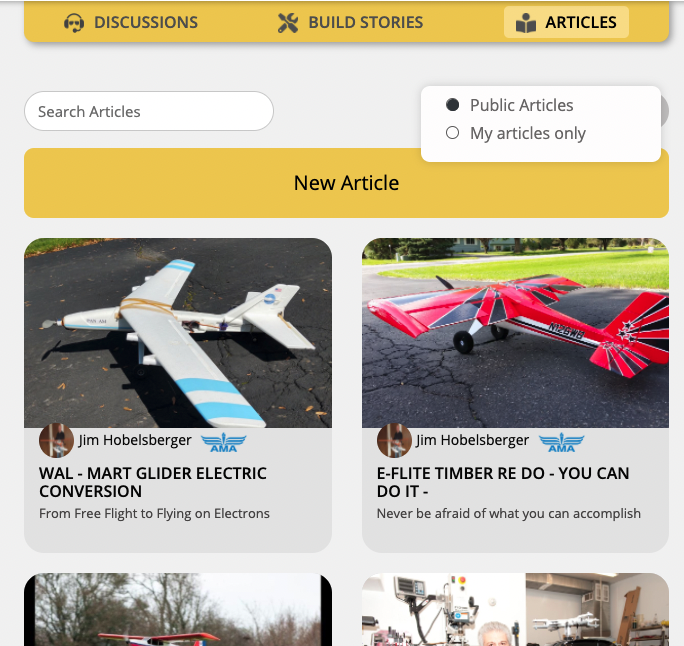
Creating an article
A good story begins with a good picture! Load in your article banner first by uploading an image that is at least 980 pixels wide. From there, complete the article attribute fields on the LEFT before you start writing your article. The article will NOT save without these attributes!
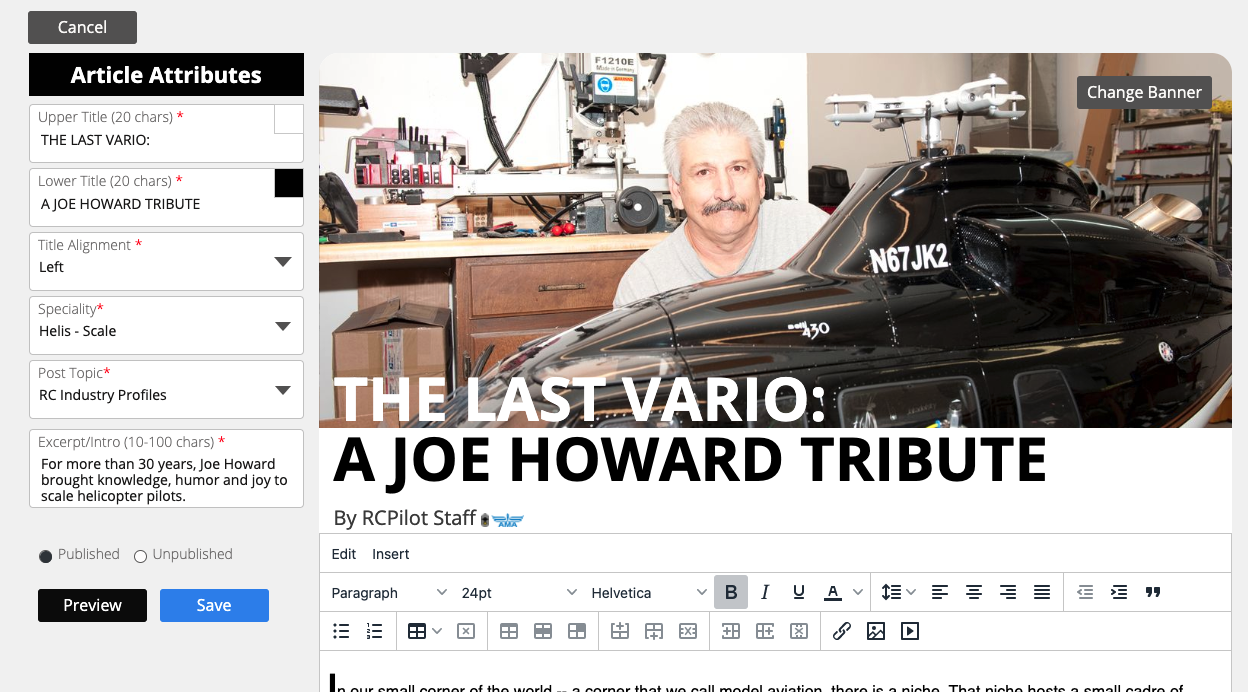
Once you complete the required fields, you'll need to pop 50 characters into the main content area in order to save the core of the story. If you don't, you'll see a fat warning pop up! After you get your 50-characters in, you are free to save the story in its UNPUBLISHED form. The story editor is pretty basic, but does have features that allow you to paste in text from external programs (like Word) and upload photos and videos. You can do some other formatting tricks and click the PREVIEW button to see how they look. There are quirks for sure, but with a bit of work, you can make your story look good.
Going live!
When you are ready, select the "PUBLISHED" radio button and then SAVE. That's it. Your article is now live!